avianca
- 4.7
- Rating
- 5.00M
- Installs
- Free
- Price

 Analysis by App-foxy
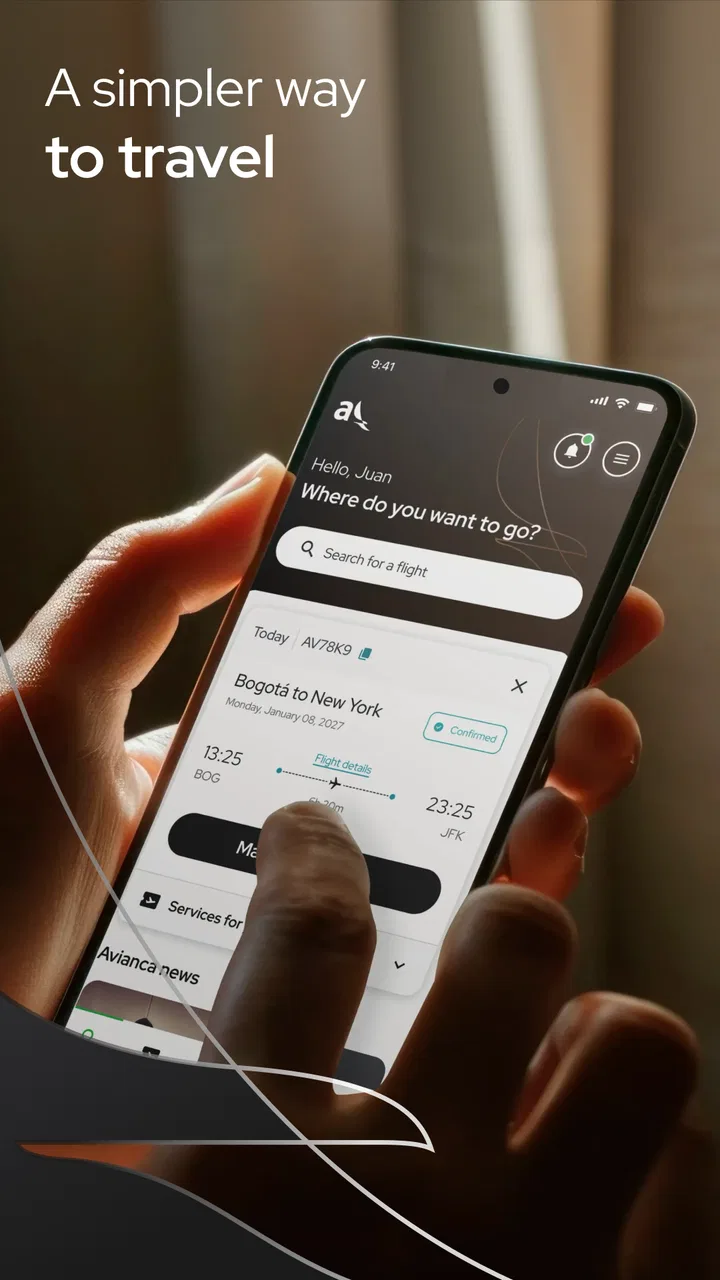
Air travel rarely goes wrong at the moment when you are comfortably planning at home. The stressful parts usually arrive later: standing in a terminal, checking a departure board, looking for a boarding pass, or trying to understand whether a flight is still moving according to plan. I reviewed avianca with those moments in mind, rather than treating it as just another airline booking tool. It is a free travel app from Avianca for Android and iOS, built around buying tickets, checking in, and following flight status from a phone.
My overall impression is that its usefulness depends heavily on connectivity. When the app can reach the airline’s systems, it puts several important travel tasks in one place and saves me from switching between a browser, email, and airport screens. When the connection is weak, the experience becomes much less reassuring, because travel information is valuable precisely when I am away from a stable network. That makes this a practical companion for Avianca passengers, but not a complete replacement for every backup I would carry on a trip.
How avianca fits into a real travel day
The app sits in the Travel & Local category, and that description feels accurate. It is not trying to be a general trip planner, city guide, or multi-airline comparison service. Its role is narrower and more useful: help me manage the Avianca portion of a journey. That focus is a strength if I already know I am flying with the airline, because I can go directly to airline-specific actions instead of sorting through unrelated travel content.
You May Also Like

 Blood Strike: 2.5 Anniversary
Blood Strike’s Loadouts Turn Every Drop Into a Tactical Gamble
A close look at Blood Strike’s custom loadouts: how fast access to signature weapons reshapes its battle royale rhythm, rewards preparation, and narrows the gap between fights.

 Pandora - Music & Podcasts
Pandora’s Music Is Easy to Start, but Harder to Recover
Pandora’s strength is its low-effort path from a seed to a station. Its weak spot is how much confidence it asks you to place in connection, setup, and quiet recovery.

 8 Ball Pool
 Is Built on Rivalries, Rematches, and Routine
A close look at the rivalries, rematches, shared routines, and unanswered safety questions that turn a quick pool match into a persistent mobile community.

 Samsung Music
’s Quiet Strength Is Playing What You Already Own
Its reach comes less from spectacle than from dependable access to a personal library. That simplicity is both the app’s strongest retention engine and its ceiling.

 AccuWeather: Weather Radar
AccuWeather Review: A Quick, Clear Forecast for Everyday Decisions
For everyday plans, the best forecast is the one you can understand quickly. AccuWeather makes rain timing, radar, and local conditions easy to act on, with a few trade-offs.

 Hill Climb Racing
Why Hill Climb Racing Still Turns Crashes Into One More Run
A tiny car, a bumpy hill and one more upgrade: Hill Climb Racing keeps resurfacing because its simple chaos makes every near-miss feel personal.
More From Our News Desk
View All News


A typical use starts at home, where I can look for a ticket and complete the purchase from the phone. Later, the same app becomes more relevant before departure, when check-in matters more than browsing fares. Once I am travelling, the flight-status function is the part I am most likely to revisit. The shift from shopping to trip management gives the app a clear rhythm: book first, prepare later, monitor when the travel day arrives.
I also like that the app is free to install and is intended for everyone from an age-rating perspective. That does not mean every traveller will find every step effortless, but it does make the app approachable for families, occasional flyers, and people who would rather not deal with a desktop site. The current version is 9.3.1, while support begins with operating system version 10, so an older phone may need attention before the journey begins.
The scale of adoption is reassuring without being a reason to stop thinking critically. Avianca’s app has passed five million installs, carries an average rating of 4.8 from around 110 thousand ratings, and has roughly two thousand written reviews. Those figures suggest that many travellers find it dependable enough for regular use. My own judgement is more specific: it is strongest as a direct channel to Avianca, not as a universal answer to airline travel.
Where a reliable connection matters most
The most obvious network-dependent moment is flight status. A status screen is only useful if it reflects current airline information, so I treat each refresh as a live request rather than as a permanent travel record. At home or in a hotel with a solid connection, this is convenient. I can check before leaving, compare the result with my plans, and avoid opening several browser tabs.
The same convenience becomes more fragile in a terminal. Airport Wi-Fi may require a sign-in page, mobile reception can vary between buildings, and a crowded network may respond slowly. If the app is waiting for fresh information, a delay in loading can feel like a problem with the flight itself. I found it helpful to check important details before leaving a reliable connection, then use the app again when I have a stable signal rather than repeatedly tapping refresh in a weak area.
Buying a ticket is another task where connectivity changes the experience. A booking flow involves several stages, and an interrupted connection at the wrong moment can leave me unsure whether I should try again. That uncertainty is more serious than a page taking a few seconds to load, because repeating a payment or search step without checking the result can create confusion. I would complete a purchase from a dependable network and keep the confirmation information available in the same place I normally store travel documents.
Check-in also benefits from preparation. I would not leave it until I am already moving through the airport, especially if the terminal connection is unreliable. Completing the process earlier gives the app time to respond and gives me a chance to notice any issue while I still have alternatives. This is one of the most useful habits with a connectivity-dependent airline app: use it before the pressure starts, not only when the queue is already forming.
Using the app while moving between places
Phone travel apps are judged in awkward conditions, not just at a desk. I may be carrying luggage, wearing a backpack, or trying to read a screen in bright light. The value of avianca is that the main travel actions are close to the journey itself. I do not need to remember a separate website address or search through a general travel app for the airline’s own status information.
Still, mobile convenience has limits. A small screen makes it easier to overlook a detail than on a laptop, particularly when I am tired or rushing. I prefer to slow down during booking and check-in, read each screen carefully, and avoid making decisions while walking through a crowded terminal. The app can reduce the number of tools I use, but it cannot remove the need to verify what I am submitting.
For a family trip, I would prepare each traveller’s information before starting the process. That is not a special feature claim; it is simply a sensible workflow for reducing mistakes on a phone. One person can manage the app while another checks names and travel details. For a solo traveller, the equivalent is reviewing the final information before confirming anything, particularly when the connection has been intermittent and a page has been reloaded.
The app is also better suited to people who already have an Avianca itinerary than to travellers comparing every airline at once. A general flight-search service may be more useful for exploring alternatives across carriers, routes, or schedules. Avianca’s own app becomes the better choice once the airline is part of the plan and I need airline-specific actions rather than broad discovery.
What happens when the connection fails
My biggest reservation is not that connectivity is required; any current flight-status service needs a way to reach changing airline information. The issue is what the interruption feels like at the exact moment I need confidence. A blank or delayed response does not necessarily tell me whether the flight is unchanged, the network is failing, or the request needs another attempt. That ambiguity is the main weakness of relying on the app alone.
I would handle this by creating a simple recovery routine. First, I would check whether other phone services are loading, because that separates a general network problem from an app-specific one. Next, I would move to a better signal or complete the airport’s Wi-Fi sign-in if required. I would avoid repeatedly submitting a booking action until I had checked whether the previous attempt had completed. Finally, for a time-critical question, I would use the airport’s information screens or ask staff rather than treating a stalled phone screen as the final authority.
This is also why I would not make the app my only source of travel information. I would keep the booking confirmation accessible through the method I used to receive it and note essential itinerary details before travelling. I am deliberately not treating the app as an offline document wallet; its most important functions are connected services, and my planning should reflect that. A backup is not a criticism of Avianca. It is sensible preparation for any tool that depends on a live network.
There is a useful distinction between a temporary loading problem and a genuine airline update. If the app opens but the status does not change, that is different from the app being unable to retrieve the screen at all. I would give the result context by checking when I last looked, comparing it with airport displays, and allowing for the fact that travel information can change after my previous view. The app is a convenient window into the airline’s information, not a guarantee that every uncertainty disappears.
Managing mobile data without losing the benefit
Using an airline app does not automatically mean using large amounts of mobile data, but I still prefer to be deliberate when travelling. The most data-conscious approach is to do preparation on a trusted Wi-Fi connection: search and purchase when possible, complete check-in early, and review the itinerary before leaving. Then I use mobile data for the moments that actually need a current answer, such as checking flight status before heading to the airport.
I would avoid refreshing repeatedly simply because the screen feels slow. A weak connection can make several attempts less useful than one careful attempt from a better location. If I am in a terminal, I would first look for a stable connection and then open the app. This saves battery, reduces needless data use, and makes it easier to tell whether a result is current rather than merely the product of repeated retries.
Travellers with limited data should also think about timing. There is little value in checking a flight every few minutes when there has been no reason to expect a change. A sensible pattern is to check before leaving accommodation, again when approaching the airport, and then when a decision depends on the latest information. That approach keeps the app useful without turning it into a constant background habit.
Privacy and account comfort matter here as well. I would use the official Avianca app rather than an unofficial imitation when entering booking or passenger information, and I would keep the phone protected with its normal device security. The app’s free price is convenient, but “free” does not remove the importance of being careful with personal travel details or of reviewing every confirmation screen.
Who will get the most from it
I would recommend avianca to travellers who regularly fly with Avianca, people who want to buy directly from the airline, and passengers who value having booking, check-in, and status tasks together. It is particularly useful for someone who dislikes managing travel through a browser and wants a dedicated place to return to during the journey. New or occasional flyers can benefit too, provided they prepare before reaching the airport.
It is less compelling for someone who rarely uses Avianca and mainly needs to compare multiple airlines. In that situation, a broad travel-search tool may be a better starting point, followed by the airline’s app after the decision is made. I would also hesitate to rely on it as the sole travel record if my phone battery, mobile signal, or access to Wi-Fi is uncertain. The app can simplify the journey, but it should sit inside a wider preparation plan.
One realistic example shows the trade-off clearly. Imagine I am leaving for an early flight and checking the status from home before ordering transport. The app is useful because it gives me a direct airline-specific check without searching the web. If I wait until I am underground or in a crowded terminal, the same task may become frustrating because the answer depends on a connection I do not control. The smart workflow is to use the app early, save the important confirmation through my usual method, and reserve live checks for moments when they can change my decision.
My connectivity verdict
After using it as a travel companion rather than just a booking screen, I see avianca as a focused and practical app with a clear limitation: its best functions are most valuable when the phone can connect reliably. That is not a deal-breaker, because ticket purchase, check-in, and flight-status checks are exactly the kinds of airline tasks that need current communication. It does mean I would prepare ahead and keep a backup instead of expecting the app to solve every airport problem.
The strongest reason to choose it is directness. Avianca built it for its own passengers, and the experience makes the most sense when I already have an Avianca journey to manage. The free access, broad adoption, Everyone age rating, and current 9.3.1 release make it an easy tool to try for supported devices. My recommendation is positive, with one condition: use the app as a connected travel assistant, not as your only lifeline when the network fails.
If that matches the way you travel, I would install it before the trip, complete the important preparation from a reliable connection, and test the workflow while there is still time to recover from a problem. For comparing airlines, a wider travel service may be better. For managing an Avianca booking and checking live travel information from a phone, this app earns its place in my travel routine.
FAQs for avianca
01What is Avianca and what features does it offer?
Avianca is an airline application that allows users to book flights, manage their reservations, and check flight statuses in real-time. The app offers features such as mobile check-in, seat selection, and access to exclusive promotions. Additionally, users can manage their LifeMiles account, providing a seamless travel experience.
02Is the Avianca app available for both Android and iOS?
Yes, the Avianca app is available for both Android and iOS devices. Users can download the app from the Google Play Store for Android devices or the Apple App Store for iOS devices. It is designed to provide a user-friendly experience on both platforms, ensuring accessibility and convenience for all users.
03Can I manage my flight bookings through the Avianca app?
Absolutely. The Avianca app allows users to manage their flight bookings with ease. You can view your current reservations, make changes to your itinerary, select your preferred seats, and receive real-time updates about your flights. This feature offers flexibility and control over your travel plans.
04How does the app handle check-in and boarding passes?
The Avianca app simplifies the check-in process by allowing you to check in directly from your mobile device. Once checked in, the app generates a mobile boarding pass that you can save to your device. This eliminates the need for paper tickets, making your travel experience more convenient and eco-friendly.
05Are there any additional costs or hidden fees when using the Avianca app?
Using the Avianca app itself is free of charge. However, standard fees associated with flight bookings, such as taxes and optional services like seat upgrades, still apply. It's important to review your booking details carefully to ensure you are aware of all costs before confirming any transactions.
Pros
- User-friendly interface for easy navigation.
- Comprehensive flight tracking features.
- Multiple payment options available.
- Real-time updates on flight status.
- Access to exclusive promotions and deals.
Cons
- Occasional app crashes reported.
- Slow loading times during peak hours.
- Limited offline functionality.
- Some users face login issues.
- Customer support response can be delayed.

avianca
Gallery